Jailbroken Nvidia Shield Pro Home Setup: Why Every Home Needs a Mesh Network
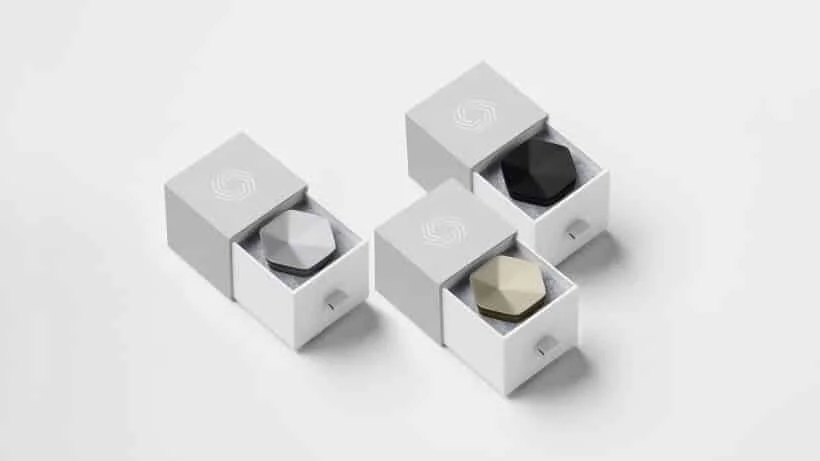
Plume Pods mesh network system
I know them as mesh network systems. But yes, here we are in 2025 and how is it that you don’t have one set up in your home yet?
Better yet, are you shopping for the greatest mesh network system out there?
See, when you have so many handheld devices on top of desktops, laptops, cameras, and other tech gadgets that need to be hooked up to the internet, it’s time to take that router to another level.
Oh yes, there are levels to having an awesome home internet setup that just works. And right now, I’m guessing yours isn’t so awesome. Don’t worry, we’ve all been there. No one just comes into this knowing everything. Tech is growing so fast that it’s getting harder to find the right information quickly.
And when you do find it, it’s usually too complicated to understand. No tech language here, let’s keep it super simple.
Welcome to our blog series, Jailbroken Nvidia Shield Pro Home Setup: Why Every Home Needs a Mesh Network System.
We are D3vicx (Devices), and we specialize in customizing and sideloading the Nvidia Shield TV Pro 2019, so you can enjoy worldwide TV entertainment for free.
In this blog, I’m going to cover everything you need to know about a mesh network system and which one is right for you if you have a big home. Even if you’re in a studio apartment, this can work in your favor.
Alright, I’m T., so let’s jump right into it.
Shop Now > Discord >
The Pain of Traditional WiFi & Why One Router Isn’t Enough
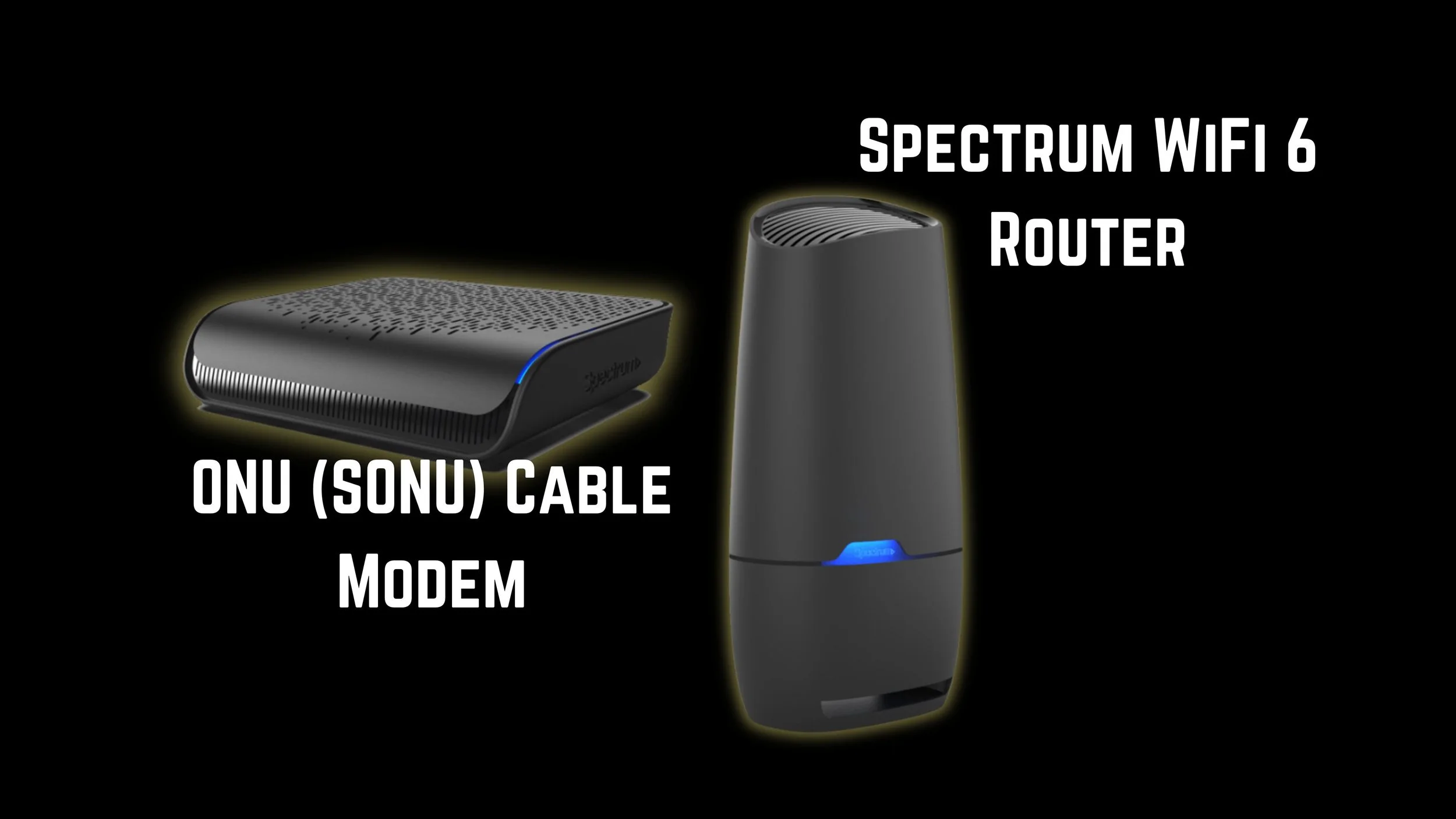
Spectrum modem and router, avoid at all cost. Own your owns.
Wow, tech has come so far, so fast, and now we all sit here at a crossroads. Did you know the way your home internet is set up is outdated?
I’m talking 2016 outdated, if you’re even aware. Old-school, traditional WiFi meant renting routers from our internet service provider (ISP), and using them simply because we didn’t know any better.
But man, WiFi has come a long way since then. People started to wise up, buying their own routers for better connections, faster speeds, and savings on their monthly bill. But now, it’s time to level up your home internet setup yet again.
With a traditional router, how many devices can you load before your internet start to feel like it’s slowing down?
Think about it, all those devices running off one single box in your home. Now think about all the dead zones and problem areas where your WiFi doesn’t work well, or at all. This could be because your antennas aren’t positioned toward those areas, and most of us never realized we were supposed to adjust them to direct the signal where we need it. Even then, that trick mostly helps on WiFi 2.4GHz.
See, this is where your router just isn’t enough. With a router, you have a few WiFi options: 2.4GHz, 5GHz, 6GHz, 6E, and now 7. The problem is, each one has its drawbacks.
Like WiFi 2.4GHz, it’s actually the best WiFi band of them all (and no, I’m not playing around). Yes, it connects a little slower, but it travels the farthest and gives you the most stable connection once you’re on it.
Whereas WiFi 5 struggles to move through walls and objects. And WiFi 6 and up? They can’t leave the room. Some can’t even make it across the room. Yeah… it’s rough out here for WiFi.
Now, what if there was another way? Let’s look at how to get better, stronger WiFi throughout your home without spending thousands of dollars.
Shop Now > Discord >
How a Mesh Network Actually Works (in Plain Language)
How does a mesh network system work? Better question, what is a mesh network system? It’s a series of wireless access points that talk to each other to create one single, seamless WiFi network that covers your entire home.
The way I learned to think about it is like having satellite dishes throughout your home, just like the ones in space all working together.
Together, they spread your WiFi signal evenly throughout your home without interruption. And no, this is not a WiFi extender, that’s something totally different. In fact, stay away from those. Think mesh network system only.
So what kind of mesh network system should you be looking into? I know, there are a ton of them out there. Around 2018, it felt like every tech brand was dropping their own system and pushing it hard online.
So let’s talk about the types of mesh network systems, and which ones actually make sense to use.
What a Node / Pod Does
Thanks to all the YouTube sponsorships, I’ve seen some terrible mesh network systems over the years. Big, bulky devices that plug into a wall but still need a table nearby to sit on. Yea, we’re not talking about those kinds of systems. Who in New York City has random hallway tables for that? Not me.
And out of all my years, I’ve never once seen a YouTuber cover the mesh network system I’m going to share with you here. Honestly, I should make a YouTube video myself about it. I’ve had this system since 2018, and here we are, September 2025 and it’s still going strong.
So what is this incredible mesh network system I’m talking about? Plume Pods.
They’re the ones that gave me that “satellite dish” picture in my head. Little pods around your home, each one evenly distributing WiFi. When I moved into a bigger apartment in Brooklyn, I didn’t realize the walls were made of steel and concrete.
That kind of stuff kills WiFi 5 signals. The router was right outside the bedroom door, but I still couldn’t get WiFi in the bedroom or the kitchen. And this was a small one-bedroom in Williamsburg, Brooklyn!
When I started researching, the first system I found was Plume. The design was clean, just a pod that plugs directly into the wall. The SuperPod connects to your router, and from there, everything runs through the app (I’ll explain that later).
From design alone, Plume Pods won me over. It beat out all the clunky systems those sponsored YouTubers were pushing.
How Mesh is Different from Extenders or Range Boosters
Now, like I said before, there’s a huge difference between extenders and range boosters. I had an extender once, it was okay, but not great. It basically “piggybacked” off my WiFi to create another version of it in a different part of my apartment. Sometimes it worked, sometimes it didn’t. Later I found out my FiOS setup was the real issue, but even then, the extender was weak.
So yeah, skip the extenders. And as for range boosters, honestly, I’m still not sure what they even do. All that compared to a mesh network system? The mesh wins every time.
Did you know that the way your router’s antennas are positioned actually affects your WiFi signal? If both antennas are straight up, the signal goes vertical. But if you tilt one antenna at a 90-degree angle, it spreads the WiFi diagonally.
Now, here’s where Mesh Systems like Plume really shine. Look at the shape of the Plume Pod, it’s like a little octagon. That design pushes the WiFi signal out in multiple directions at once. That’s how it covers your home evenly.
The range depends on where you plug in your smaller pods. Got a garage? Plug one in there. Got a barn? Plug one there too. Those smaller pods connect back to your main Super Pod, extending your WiFi without losing speed. I’m guessing that’s how a range booster wishes it worked.
Shop Now > Discord >
Signs You Need a Mesh Network System (Before It’s Too Late)
You might need a mesh network system if:
You have dead zones or weak signals in certain rooms.
You’re constantly dealing with buffering on your TV or streaming device.
You’ve got too many devices (phones, tablets, cameras, smart home gadgets) overwhelming your router.
It’s 2025 and if you’re not using Ethernet plug-ins, you need a mesh network system. It’s really that simple. If you’re still using the router that came from your internet service provider (ISP), take it back. Buy one that you actually own and still get the mesh network system.
You’ve probably noticed your internet acting up while streaming, browsing, or working. Maybe it slows down, drops out, or just stops working altogether. The size of your home could be a factor. Or maybe your antennas aren’t positioned correctly to cover your whole space. There are just so many small things that can cause buffering.
And remember, WiFi 5 and up don’t travel far. They also struggle to move through walls, doors, and other objects. The list goes on and on.
Every home setup is different, but here’s the simplest way to put it:
The bigger the home, the more you need a mesh network system. Even if you’re living in a small studio apartment, it’s still worth having one.
The main goal of a mesh network system is to take some of the load off your main router. That way, your router can run smoother, handle more devices, and deliver faster, more stable WiFi.
And here’s a great tip for your Jailbroken Nvidia Shield Pro setup:
If your router isn’t close to your TV, plug a small mesh pod near it and connect your Nvidia Shield Pro with an Ethernet cable. That’ll give your device the stable, wired connection it needs so you can stream all your shows and live TV without a single buffer.
See, Plume Pods have a few tricks up their sleeves. The ones I’ve used extend WiFi 5, and the newer models handle WiFi 6 and 6E, spreading your signal evenly throughout your home.
Because remember, if you’re only relying on your router, WiFi 5 and up won’t get very far on their own.
Shop Now > Discord >
Benefits of Mesh for Streaming & Loaded Devices
Let’s start with your wireless devices. A mesh network system takes the heavy load off your router and spreads the WiFi signal evenly throughout your home. Plume Pods are smart enough to figure out which WiFi frequency your devices actually need.
For example, if you have Christmas lights outside that connect to WiFi, they’re probably using WiFi 2.4GHz since that signal travels farther. Even if you accidentally connect them to WiFi 5, the Plume Pod will automatically move them to the correct 2.4GHz band for a stronger, more stable connection.
Basically, the pods do the heavy lifting for you, especially when streaming.
Another big win? The Plume app. This app helps protect your real router password. Not that temporary one they give you at setup, but the main one you actually use. Inside the app, you can create individual WiFi passwords for each person or device in your home.
You can even make a special guest account for visitors. If someone’s over and you want to kick them off later, you can do it with just one tap. They’ll lose access, and they never had your real password to begin with.
With a mesh network system, you’re covered. You can load up all your devices; phones, laptops, TVs, cameras, and of course, your Jailbroken Nvidia Shield Pro, without slowing your connection down.
And here’s the best part for streamers:
If your router isn’t close to your TV setup, you don’t need to run a 24-foot Ethernet cable across your living room or cut holes in your walls. Just plug a small pod into an outlet near your Shield Pro, then run a short Ethernet cable from the pod to the device.
That’s it, instant, stable power and zero buffering.
With mesh, your WiFi network becomes one seamless signal with smart optimization that adjusts automatically as devices connect and disconnect. And if your home grows or your tech family expands, you can easily add more pods to keep everything running fast and smooth.
In short:
Mesh keeps your internet strong, your streaming smooth, and your Jailbroken Shield Pro at full power, everywhere in your home.
Shop Now > Discord >
Choosing the Right Mesh System (Don’t Get Scammed)
This is the best mesh system for your Jailbroken Nvidia Shield Pro. Let’s help you make the right decision so you don’t end up with buyer’s remorse. See, unlike others who promote random mesh network systems just to get a small kickback from affiliate links, we get nothing.
Yep, no commissions, no affiliate codes, no sponsored deals. There’s no kickback program with Plume Pods. We get nothing in return, except for you calling us the best of all time when it comes to streaming and helping you understand everything you need to know about it.
So when you’re ready to order, what should you look for? If you can, future-proof your home internet setup and go with the WiFi 6E pods.
How many pods should you start with? On the Plume website, you’ll enter the size of your home, and they’ll recommend how many pods you’ll need. This depends on square footage and how many floors you have. Remember, these pods are octagon-shaped, and the signal pushes out from all eight sides, covering your entire home evenly.
From there, you’ll use the Plume app. If you don’t want all the bells and whistles, the free version works great. You won’t be able to create separate passwords for everyone, but you can still set a new WiFi password that’s different from your router’s, a simple step for extra security.
Now, I know what you’re thinking, you want a full walkthrough. I can’t do that for you here, but once you get your pods, the app will guide you step-by-step through the setup process. It’s super simple.
Placement Tips
Avoid corners or areas near large electronics (like TVs). Try open spaces for the best range and balance.
Integrating With Your Router or Modem
Plug the main Superpod into your router using Ethernet. That’s your command center. Every other pod you add will connect wirelessly, expanding your coverage.
Testing & Validating Coverage
Once everything’s set up, open the Plume app and test your signal strength in different rooms. You’ll see right away where you might need to move a pod or add another one.
Shop Now > Discord >
Common Mistakes & Troubleshooting
Let’s address a few common mistakes before they trip you up. If this is your first time setting up a mesh network system, don’t worry — it might feel like a learning curve at first, but once you get the hang of it, it’s smooth sailing from there.
Here are the biggest things to avoid:
Using Cheap Pods / Knockoffs
Let’s start with this one because it’s the most common mistake. Only order Plume Pods directly from their official website.
No other site — not even Amazon — sells the real ones.
Everywhere else, you’re rolling the dice with knockoffs, including some “official-looking” ones from Spectrum offices.
It seems Plume didn’t patent the outer design, so third-party companies took advantage by making lookalikes. The problem? They’re missing the real firmware that makes the Plume system work. So, be careful and make sure you’re getting the real deal.
Overlapping Channels / Interference Issues
When connecting your SuperPod to your router, follow the directions in the app carefully — they’re crystal clear.
Plug the SuperPod close to your router and connect it with an Ethernet cable. Once that’s done, the rest happens right in the Plume app.
If you notice your WiFi still struggling after setup, it’s usually interference — not your internet speed. Move pods away from microwaves, cordless phones, or big metal objects that can block or bounce the signal.
Not Enough Backhaul / Poor Pod Placement
Placement can be tricky but it’s everything. Your pods need to see and talk to each other, so keep them in open areas.
When I had three pods in a small studio apartment, they were too close together. But when I moved to a two-bedroom home, I had to stretch them out — one pod in the main bedroom, one near the kitchen, one in the sunroom — and the difference was night and day.
It all depends on the size and layout of your home.
And here’s a fun bonus most people don’t know: once your pods are set up in the app, you can take them anywhere. Seriously — plug them into any router and your devices will recognize the same network as if you were still at home.
That’s one of the best parts about Plume — you can take your home WiFi setup on the road.
Shop Now > Discord >
FAQ: Why Every Home Needs a Mesh Network System
Q: What’s the difference between a mesh network and a WiFi extender?
A: A WiFi extender just rebroadcasts your router’s existing signal, often creating a separate network name and cutting your bandwidth in half. A mesh network, on the other hand, uses multiple pods (or nodes) that work together as one unified network. As you move around your home, your devices automatically stay connected to the strongest signal without dropping or lagging.
Q: Do I need a mesh system if my WiFi already works “okay”?
A: “Okay” isn’t enough in 2025. A mesh system gives you stronger coverage, faster speeds, and far less buffering, especially if you’ve got multiple streaming devices, smart TVs, or smart home gadgets all running at once.
Q: Will a mesh network totally eliminate buffering?
A: Not always but it massively reduces it. If your internet speed from your ISP is slow or your modem is outdated, no mesh system can fix that completely. But pair a good mesh system with a solid modem and (if possible) an Ethernet connection, and buffering becomes almost non-existent.
Q: Can I use the Plume Pods with my current internet provider?
A: Absolutely. Plume Pods work with any modem and most routers. Just connect one Superpod to your router using an Ethernet cable, then plug the smaller pods around your home. They’ll handle the rest automatically. No complicated setup required.
Q: Do I need a mesh system for a small apartment or 1-bedroom home?
A: Sometimes not, a single strong router placed in the right spot might be enough. But if you’ve noticed dead zones, weak signal in certain rooms, or WiFi interference from neighbors, even a small 2-pod setup can make a huge difference.
Q: How many pods should I buy?
A: That depends on your home’s size and layout. Go to Plume’s website, their setup will help you with how many you may or may not need. As a quick guide:
Studio-1 bedroom apartment: 1 Superpod
1–2 bedroom apartment: 3 pods
Medium home: 4–6 pods
Larger or multi-floor home: 6+ pods
Plume’s website can also calculate how many you’ll need based on your square footage.
Q: What’s the difference between WiFi 5, 6, and 6E pods?
A: Think of it like phone upgrades. WiFi 5 is great for smaller homes, WiFi 6 adds faster speeds and handles more devices at once, and WiFi 6E adds an extra 6GHz band for the cleanest, least-crowded connections possible.
Q: Is mesh WiFi secure?
A: Yes, especially modern systems like Plume, which use top-level WPA3 encryption, automatic updates, and built-in threat protection. You also get device-level control and can easily manage who’s on your network through the app.
Q: Do I still need Ethernet cables with a mesh system?
A: Not always but for your Jailbroken Nvidia Shield Pro, Ethernet is the ultimate power move. Plugging your Shield directly into a nearby mesh pod gives you the most stable connection possible no buffering, no lag.
Q: Can a mesh network improve performance for streaming devices like the Nvidia Shield Pro?
A: 100%. That’s where mesh shines. The pods bring WiFi closer to your Shield Pro, reducing interference and maintaining a strong signal, even through walls. For the best results, combine mesh plus Ethernet for a flawless experience.
Q: Can I travel with my Plume Pods?
A: Yep! Once they’re set up, you can take them anywhere. Plug them into any router, and your network will pop right up like you’re still at home. It’s one of the coolest hidden perks of Plume.
Shop Now > Discord >
In Conclusion: Mesh + Ethernet + Jailbroken Nvidia Shield Pro = The Ultimate Setup
Why Every Home Needs a Mesh Network? “If you're going to let what you do be based upon what you hear & read, you better make certain the people who are giving you the advice are getting PHENOMENAL RESULTS!” —Bob Proctor.
This is the setup we have been telling everyone about for years. A great setup, with an incredible streaming device that gives you access to paid TV entertainment for free. Everything is streamed through this one device. And this setup makes it possible, buffering free.
This is where everything comes together.
A mesh network system spreads strong WiFi evenly throughout your home.
An Ethernet connection gives your most important devices a direct, stable link to that network.
And the Jailbroken Nvidia Shield Pro is where all that power truly shines.
When your Shield Pro is plugged into one of the mesh pods using an Ethernet cable, it’s like going from standard to turbo mode. You’ll notice:
Zero buffering, even during live events or 4K streams.
Faster app launches and updates.
Rock-solid connections that don’t drop mid-game or mid-movie.
This setup isn’t just about performance it’s about freedom. Freedom to stream, game, and explore your loaded system anywhere in the house without worrying about lag, dropouts, or WiFi dead zones.
If you’ve ever wondered what “elite home streaming” feels like, this is it.
Shop Now > Discord >
Related Post: Jailbroken Nvidia Shield Home Setup: Internet & Network Essentials