From Fire Stick to Nvidia Shield Upgrade: Why It’s Worth It in 2025
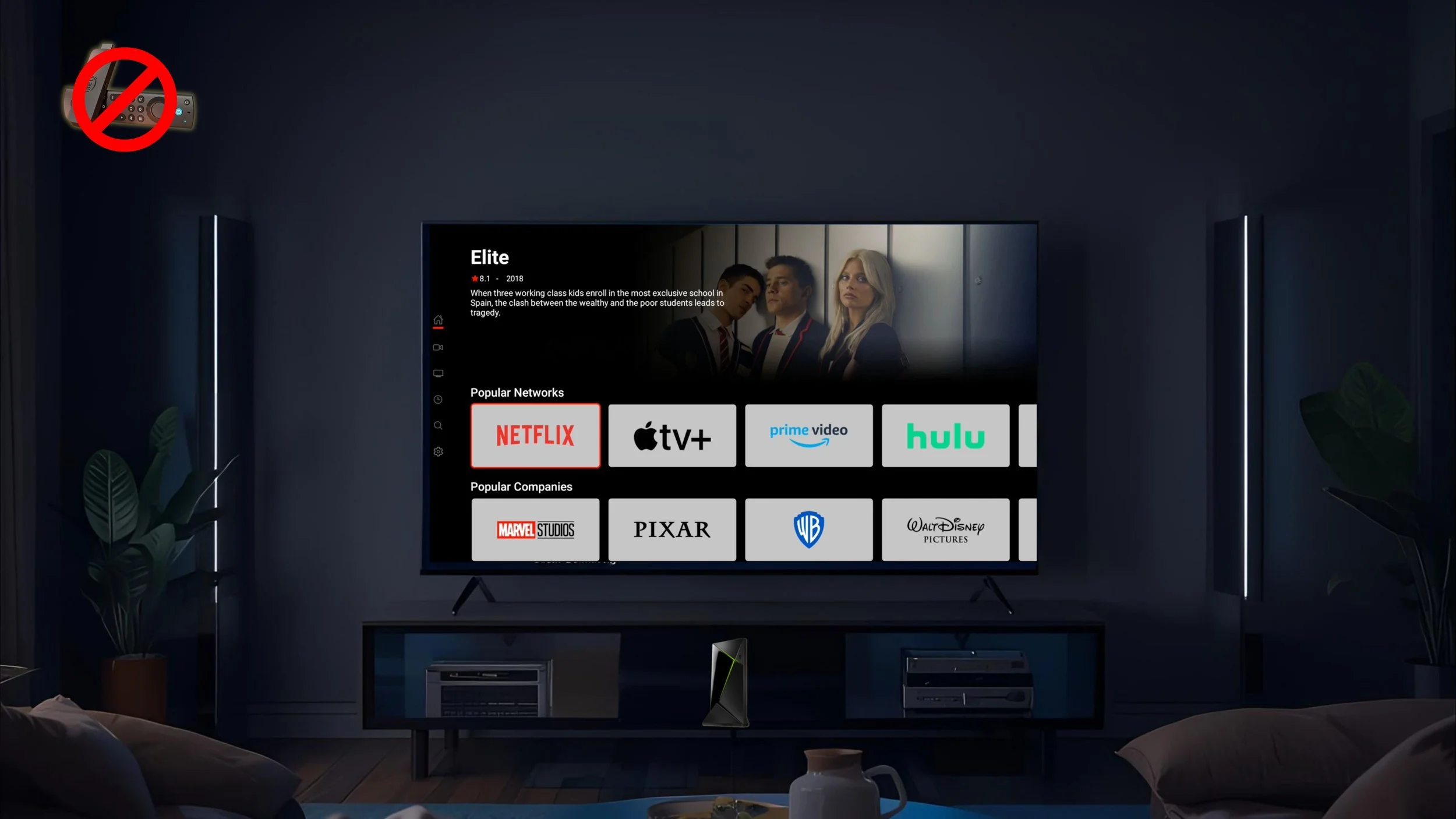
The Jailbroken Nvidia Shield Pro is just click and play.
Hello everyone and welcome to our blog, “From Fire Stick to Nvidia Shield Upgrade: Why it’s Worth it in 2025.” We are D3vicx (devices), and we specialize in customizing and sideloading the Nvidia Shield TV Pro 2019 so you can enjoy free streaming worldwide. I want to jump right into this one.
We have all been here dealing with Fire Sticks and their problems.
My team and I have been through just about every streaming device and found out none of them are better than the Nvidia Shield TV Pro 2019. This is why we only offer this one streaming device.
We then started to ask the question, “Why does the Fire Stick buffer?” and “Why does the Fire Stick just stop working when we sideload APKs?” With these new questions and coming from it at a different angle we were able to find out a lot of new information about the Fire Stick and other budget-friendly streaming devices, including the Onn Box Pro.
But in this blog, we are going to focus all our energy on the Fire Stick and other Fire devices. We are going to share our findings that no one else is even talking about.
Why?
Because I don’t think others know this information and the other half is not even looking for it. After this, you will understand it all, and walk away with a clearer picture about streaming devices. The right one for you, and how to use it for free streaming.
Do understand, the streaming device is not the only thing that matters here, it’s just the end desired result. We want you to also look at how your Home Internet is setup, this is going to place a huge role in buffer and lagging too. Check out our blog, “Why Is My Home Internet Not Working?: Basics You Need to Know Before Streaming” and what you may need to pick up.
Let’s get to it.
Shop Now > Discord >
Why Fire Stick Users Start Looking for an Upgrade
Say no to Fire Sticks in 2025.
At first, Fire Stick users just wanted the buffering and lagging to stop. You wanted to save your TIME, and not be on YouTube every 3 days watching the same old videos about, “How to stop your Fire Stick from buffering.” Those videos are painful to watch and what makes it worse, the information in them doesn’t even work.
Fast forward to 2025, Fire Stick users need to find a new device so they can keep their sideloaded APKs.
See, people are finding out, they don’t own the Fire Stick or Fire Cube they bought. When a company can push an automatic update onto your device you bought and force you to unload an APK you have on it, says it all.
Why would you continue to buy from them? Or even continue to use that same Fire Stick or Fire Cube?
If they are controlling the device and not you, when are you the customer going to wake up and say, “Hey, this Fire device is not for me. Let me find something else I can control.”
Now, if you are ready and would like to skip all of this just click the link below to head right to the shop for a Jailbroken Nvidia Shield Pro today.
Shop Now > Discord >
Common Pain Points With Fire Stick 4K & Fire Stick Max
The common pain point when streaming on a Fire Stick is the buffering and lagging. It doesn’t matter the model of the Fire Stick, after 6 to 8 months you all pretty much deal with buffering and lagging.
We have been customizing and sideloading Fire sticks since they came out back in 2014. Back then XBMC was just renamed to Kodi and the first Kodi build came out called, “The Beast.” Boy, it was crazy how easy you could sideload Kodi onto any Fire Stick or jailbroken iPad or iPhone.
But as the years went on, you noticed Fire Sticks didn’t last long. It felt like every year we were upgrading to the newest one. No one asked questions, we just did it automatically. Back in 2018 was the last time, the buffering started and I had watched my last YouTube video on how to fix the buffering on a Fire Stick.
I unplugged it from the TV and tossed it out of my 5th floor New York City apartment. I was over it and have never owned a Fire Stick since.
Why Streaming APKs Struggle on Fire Stick Devices
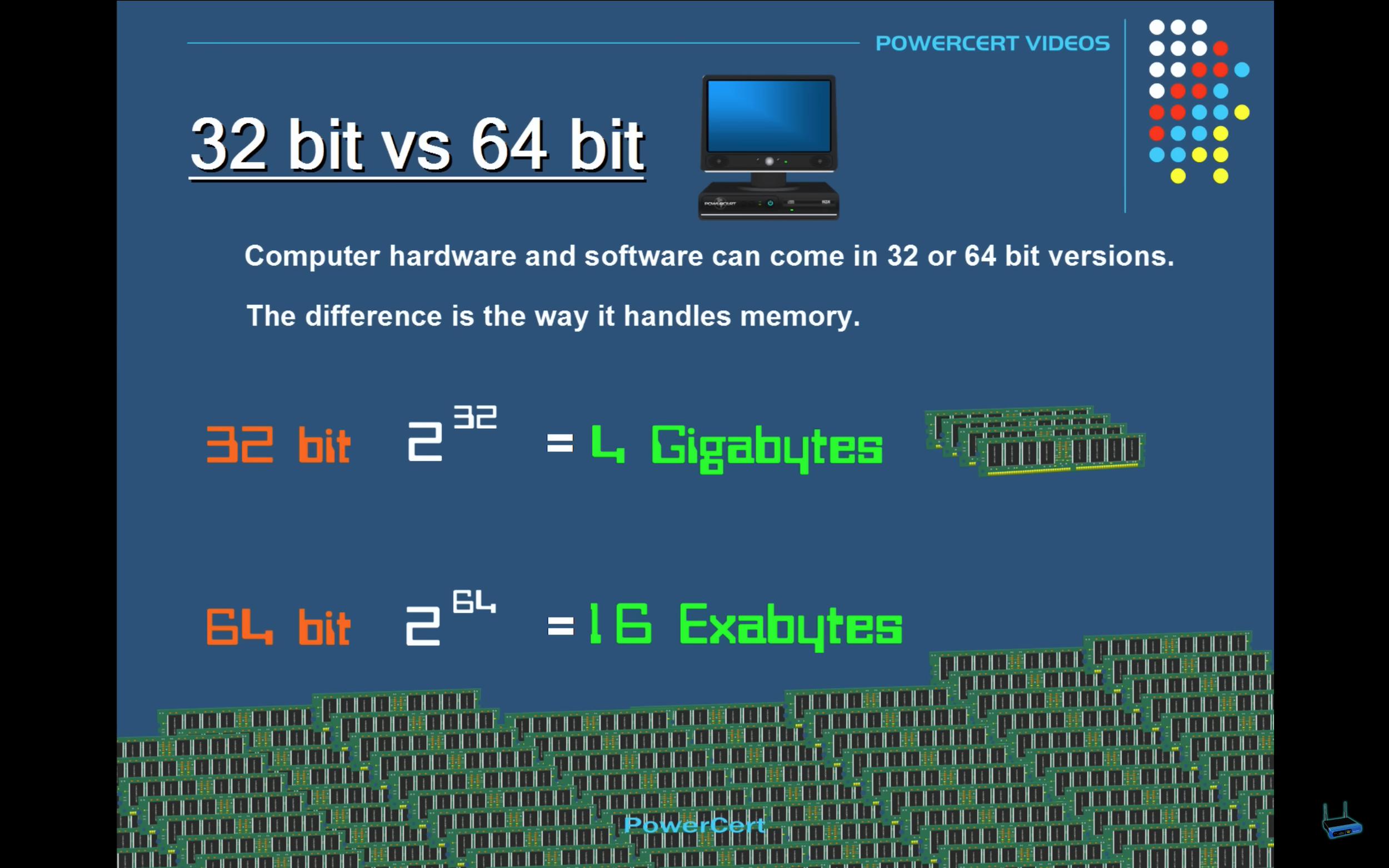
32-bit vs. 64-bit streaming devices.
Here is the real reason the Fire Stick struggles when streaming sideloaded APKs. Here is why the buffering and lagging happens, “It’s not designed to be sideloaded.”
Wait, what?
The reason why Fire Sticks and other Fire devices buffer and lag is because they are not designed to be sideloaded.
Have you ever popped the hood of your car to look under it? Most likely, yes. Have you ever done the same to the Fire Stick? Have you even ever stop to think to asked if anyone has? Now, when I say under the hood, I’m talking about the software running the device.
You see 32-bit and 64-bit all the time, but do you understand what it even means?
Computer hardware and software can come in 32 or 64 bit versions. The difference between a 32-bit and a 64-bit is the way that it handles memory. The bit size refers to the memory that it can address.
A 32-bit system can reference 2 to the 32nd power bytes of memory which equals to about 4 gigabytes. Were a 64-bit system can reference 2 to the 64th power bytes of memory which equals to about 16 exabytes.
Which is 4 billion times more memory than a 32-bit. That number is so huge that it’s virtually unlimited because we will never need to use hat amount of memory, so we once thought.
In a computer in order for data or a program to run it needs to be loaded into RAM first. So the data is stored on the slower hard drive and from the hard drive it’s loaded into the faster RAM, and once it’s loaded into RAM, the CPU can now access the data or run the program.
In a 32-bit system, since the maximum amount of memory that it can support is 4 gigabytes, it may not be enough to hold all the data that the CPU needs to make the computer run as fast as possible, and when this happened then some of the data has to be kept on the slower hard drive to compensate for the low memory.
So instead of data going from the RAM to the CPU, it has to do extra work by going back to the slower hard drive, and when this happens it slows down the computer. This is where buffering and lagging happens.
In a 64-bit system. its able to store a lot more memory than 4 gigabytes, which means that more data can be stored into the faster RAM then on a slower hard drive and because it can store more data into RAM the computer is able to run a lot faster.
👉 A 64-bit system runs way faster than a 32-bit system. But guess what? Every Fire Stick and Fire device only runs on 32-bit. They were never built to handle sideloaded apps. Yet people keep cramming APKs onto them… then act surprised when nothing works.
Those extra APKs eat up the tiny storage Fire Sticks have. That leaves almost no room for streaming to run smoothly. That’s the real problem. And now, it’s finally solved.
The Hidden Cost of “Cheap” Streaming Devices
This is something no one tells you, “When you buy cheap, you buy twice.” So not only this, what is that hidden cost you pay when streaming on cheap streaming devices, “Your TIME.” Time is something you can never get back because you spent it.
Think about how many hours of the week have you spent your TIME on trying to stop the buffering on your Fire Stick? Really, sit back and think about it. This last MMA PPV or Wrestling PPV, were you able to watch it straight through or was you Fire Stick stopping every few seconds?
The average person spends 3 to 5 hours online trying to fix a buffering Fire Stick each time it starts to buffer. After that, you end up online where it’s YouTube or Reddit asking people you don’t even know their opinions about the next device you are looking to pick up.
I’m going to tell you this, “If you're going to let what you do be based upon what you hear & read, you better make certain the people who are giving you the advice are getting PHENOMENAL RESULTS!” -Bob Proctor
We can tell you that right now it’s time to move on from the Fire Stick. Since 2019, we’ve been getting phenomenal results with the Jailbroken Nvidia Shield Pro. Let us walk you through how below.
Shop Now > Discord >
Why the Nvidia Shield Pro Is the Ultimate Upgrade in 2025 and Beyond
Stream it all for free on the Jailbroken Nvidia Shield Pro
Picture this: you want a Nvidia Shield TV Pro 2019. But you don’t just want the plain one from the store. You want a Jailbroken Nvidia Shield Pro, already set up and ready to go. Why? Because it’s plug and play. No flashing, no downgrading, no turning off Play Protection with ADB debugging. None of that headache. You save time, energy, and frustration.
Here’s the truth: when customized and sideloaded the right way, this little streaming box is a beast. No buffering. No lag. But if it’s done wrong? The device can end up D.O.A. (dead on arrival). I’ve seen it happen too many times.
The point is simple: you just want to stream without paying insane monthly bills. The Jailbroken Nvidia Shield Pro makes it happen.
Want sports?
Normally you’d need three different setups, apps for half the games, cable for the others, and local TV just for the home games. That’s crazy. With the Shield Pro, you get it all in one place. One APK. Every game. Replays too. Bonus: no commercials.
Here’s the best part, these devices can save you up to $10,000 a year in TV and sports costs worldwide for 3 to 5 years, sometimes even longer. Our office unit is on year 6 and still runs like new.
Why? Because we keep it locked at Android 9 (v8.2.1). No updates needed, and the APKs update themselves. Easy win-win.
Powerful Hardware Specs, Nvidia Shield Pro vs. Fire Stick
Remember how I said Fire Sticks only run on 32-bit? That’s why they choke when you sideload. The Nvidia Shield TV Pro 2019, on the other hand, runs on 64-bit hardware and software, powered by the NVIDIA® Tegra® X1+ processor. Simply put: no other streaming device comes close.
Storage matters too. Fire Sticks only give you 5GB total, and you have to keep 4GB free just to function. They were never built for sideloading.
The Nvidia Shield Pro? You start with 16GB and you can expand it. We load only the must-have apps onto the device, then move everything else to external storage. That leaves about 12GB free on the Shield itself, which makes big movies load fast and smooth.
That’s why we pair it with the Samsung T7 Shield 1TB Portable SSD Drive. Nothing runs faster on this setup.
Key Takeaway: Fire Sticks are cheap and disposable. The Nvidia Shield Pro is built like a powerhouse computer, expandable, rootable, and reliable for years.
Ethernet Support equals Stable Streaming on the Jailbroken Nvidia Shield Pro
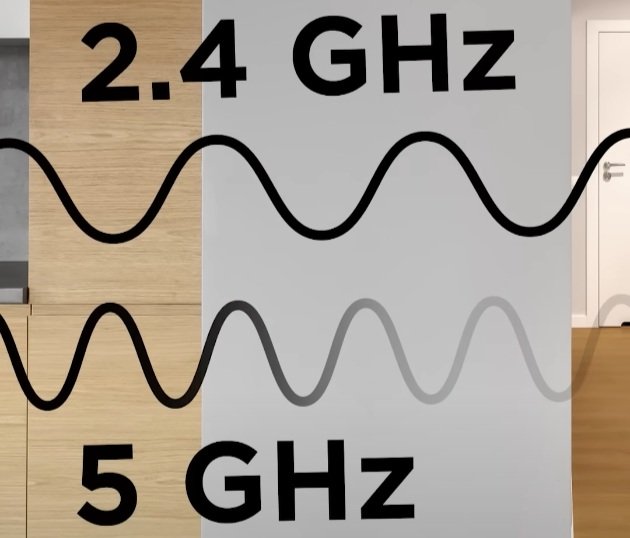
Learn about WiFi, see what works and what doesn’t
Here’s a secret, if you want the most stable connection, plug the Nvidia Shield Pro into your router with Ethernet. WiFi has come a long way, but it’s not perfect. WiFi 2.4GHz travels farther and goes through walls. WiFi 5 is faster but weak through obstacles. WiFi 6 and up? The Nvidia Shield Pro doesn’t even use it.
So why gamble?
A direct Ethernet line from your router to the Nvidia Shield Pro equals no buffering, and no lag. Ever. Even during peak hours when all your neighbors are streaming, you’ll still be smooth but only if you own your own modem and router instead of renting from your internet service provider (ISP).
Pro Tip for Travel: Take the Jailbroken Nvidia Shield Pro with you. If you can’t use Ethernet, stick to 2.4GHz WiFi. It may load a little slower at the start, but once it’s running, it won’t buffer.
Why the Nvidia Shield Pro Is Built to Last (and Fire Stick Isn’t)
Think about it, how many Fire Sticks have you gone through before they started buffering, freezing, or just flat-out dying? One every 6–12 months, right? And each time, you’re either paying full price or grabbing one on discount, only to find out the device was halfway done when you opened the box.
That’s no accident. Fire Sticks are designed to break down. They hook you with the cheap price, then keep you coming back for more. $50 here, $50 there, it doesn’t feel like much until you add it up.
By now, you’ve easily thrown away the cost of 3 Nvidia Shield Pros on cheap, disposable Fire Sticks. That’s $600 worth of plastic junk, frustration, and wasted evenings staring at a buffering wheel.
Meanwhile, our Nvidia Shield Pro 2019 is still running like brand new, 6 years later. We bought it once for $170 (birthday discount at Best Buy 😉), and that’s worked out to less than $30 a year for premium streaming. And every year, that number keeps going down because the device just keeps going.
Here’s the difference: with the Fire Stick, Amazon controls you. With the Shield Pro, you’re in control. No forced updates slowing it down. No sneaky tricks to make you replace it. Just pure power, reliability, and freedom from streaming headaches.
Why keep wasting money on throwaway devices when you could upgrade once and own it for years?
Shop Now > Discord >
How the Nvidia Shield Pro Solves Fire Stick’s Biggest Problems

Fire Stick vs. Nvidia Shield Pro
The Fire Stick’s biggest problem? Buffering. And it’s always been buffering. But nobody ever asks why it buffers.
Nobody talks about the tiny gigabyte space inside. Nobody pops the hood and looks at the real technical stuff.
Instead, you get YouTubers with “fix” videos that don’t fix anything. They’re just putting a Band-Aid on a gunshot wound.
A few hours later, buffering is back again. They know it but their job is to keep you on YouTube, and not tell you the truth.
No More Buffering on Sideloaded APKs
On Fire Sticks, sideloaded APKs buffer nonstop. Even official apps choke. Back in 2018, I tried watching The Marvelous Mrs. Maisel on Prime Video. Every two seconds: pause, play, pause.
Later I tried Annabelle on a sideloaded APK. Same problem. Cache cleared, apps closed, still unwatchable.
The Jailbroken Nvidia Shield Pro fixes this. It has the space and power to load APKs correctly. You just press play and it works.
Handles Real 4K & Dolby Vision Without Crashing
Here’s where Fire Sticks fall apart: true 4K and Dolby Vision. With only 5GB of space, they crash trying to run a real 4K movie on a sideloaded APK. Netflix 4K works only because it’s compressed, it’s “fake 4K.”
The Jailbroken Nvidia Shield Pro is different. With built-in AI upscaling and Dolby Vision support, it streams heavy 4K files like butter. No crashes. No stutters. Just pure performance.
Built for Heavy Streaming Without Overheating
Why do Fire Sticks overheat while the Nvidia Shield Pro doesn’t?
Simple: the Shield has a built-in fan. Budget devices don’t. Once they overheat, components warp, and the device dies. The Nvidia Shield Pro? Cool and steady, even during all-night marathons.
Shop Now > Discord >
Who Should Upgrade From Fire Stick to the Jailbroken Nvidia Shield Pro?
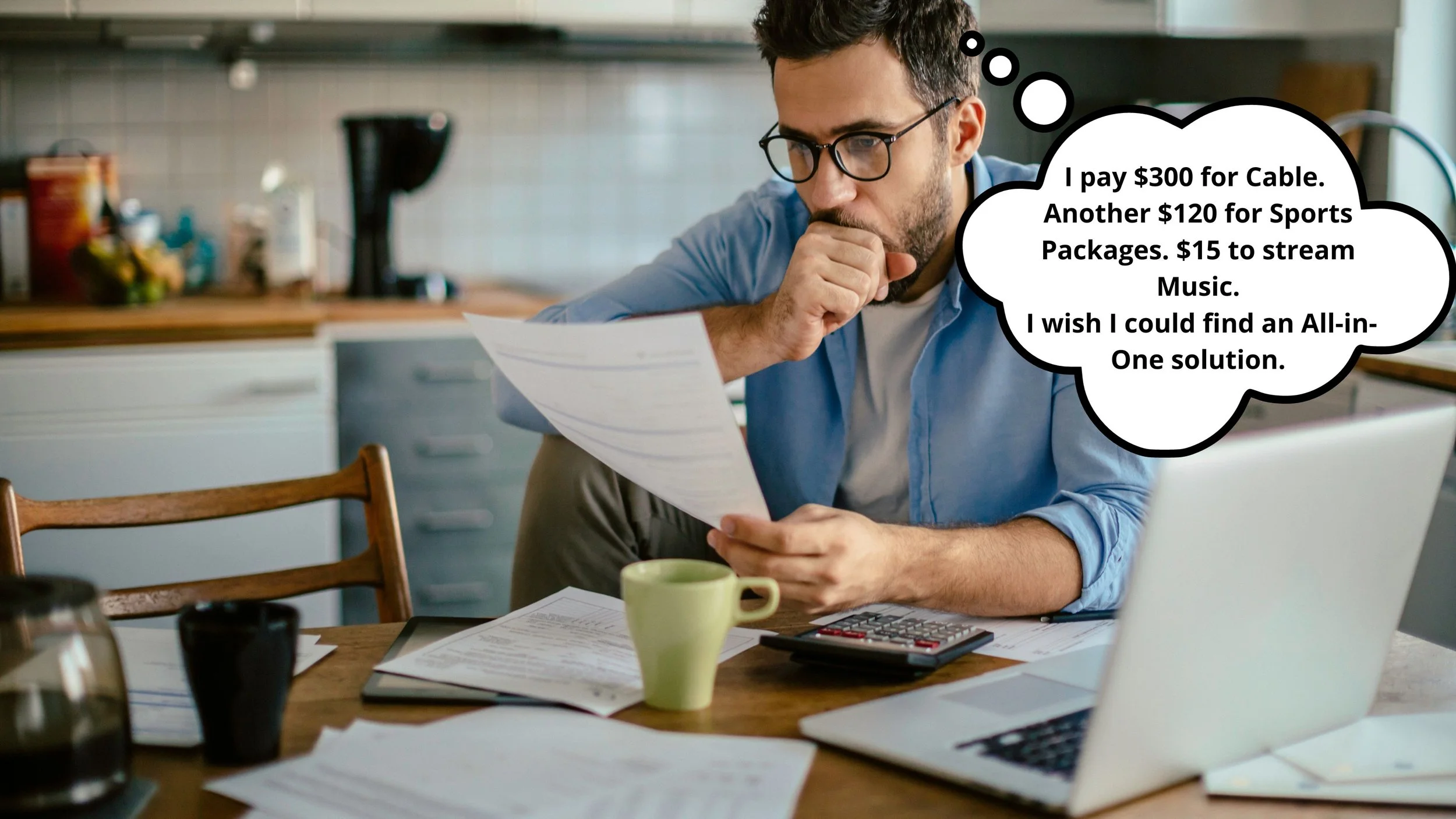
Over paying for entertainment? Need to cut back?
If you’re sick of paying a $300 cable bill or juggling a dozen subscriptions, this is for you. Yes, there’s a small learning curve, but once it clicks, you’ll wonder why you didn’t switch sooner.
Serious streamers and APK users? This is also for you. Every Jailbroken Nvidia Shield Pro we ship comes loaded with our Elite System. That’s 55 APKs working together to give you worldwide TV, sports, and movies at the click of a button. No stress. No setup. Just plug it in and press play.
Bonus: When you buy a Shield Pro from us, you get access to the WAR ROOM. That means early access to new APKs we’re testing for the Elite System. Plus, you can load the mini Elite on your phone or tablet.
So whether you’re at home or on the go, you’ll never miss the action again.
Shop Now > Discord >
FAQ: From Fire Stick to Nvidia Shield Upgrade
Q: Why does the Jailbroken Nvidia Shield Pro cost $1,000 when a Fire Stick is so much cheaper?
A: Great question. A Fire Stick costs less up front, but it was never built for serious streaming. It runs on weaker 32-bit hardware, tiny storage, and slows down fast.
The Jailbroken Nvidia Shield Pro is a 64-bit powerhouse built to last 5+ years. On top of that, it saves the average user about $10,000 in TV and sports costs. In other words, the Nvidia Shield Pro pays for itself many times over while giving you a premium, hassle-free experience Fire Sticks can’t touch.
Q: Is the Nvidia Shield Pro really worth it if I already have a Fire Stick 4K Max?
A: Yes. The Jailbroken Nvidia Shield Pro is a big step up, even if you own a Fire Stick 4K Max. Side by side, you’ll see the Shield feels more premium, faster, and smoother for streaming.
Q: Will I notice a difference in streaming APKs?
A: Definitely. Some APKs that work on the Shield don’t even run on Fire Sticks. And for the ones that do, the Shield loads them much faster and plays them more smoothly.
Q: Does the Nvidia Shield Pro work with sideloaded apps out of the box?
A: Yes. Our Jailbroken Nvidia Shield Pro comes preloaded with our Elite System, which includes 55+ APKs ready to go. Just plug it in and start streaming.
Q: Do I need super-fast internet to see the upgrade benefits?
A: Nope. 100Mbps is plenty. What matters most is owning your own modem and router, and plugging the Shield Pro into Ethernet. That gives you the most stable connection—no buffering, even during big events like MMA pay-per-views.
Q: How long will the Jailbroken Nvidia Shield Pro last compared to a Fire Stick?
A: Fire Sticks usually slow down or quit after a couple years. The Shield Pro? You’ll still be using it 3+ years later like it’s brand new. Many customers say they forget about Fire Sticks completely—until a friend complains about theirs. all about the Fire Sticks and the problems it caused until a friend brings up how they are tired of the Fire Stick, only then will you even remember it .
Shop Now > Discord >
In Conclusion: From Fire Stick to Nvidia Shield Upgrade
The Fire Stick had its run, but now it’s holding you back. The Jailbroken Nvidia Shield Pro changes everything. With our Elite System preloaded, you get 55 APKs that open the door to movies, shows, sports, and more, all in one place.
This isn’t the time to wait. Order now before it’s too late and see for yourself why the Shield Pro is the upgrade that pays for itself over and over again.
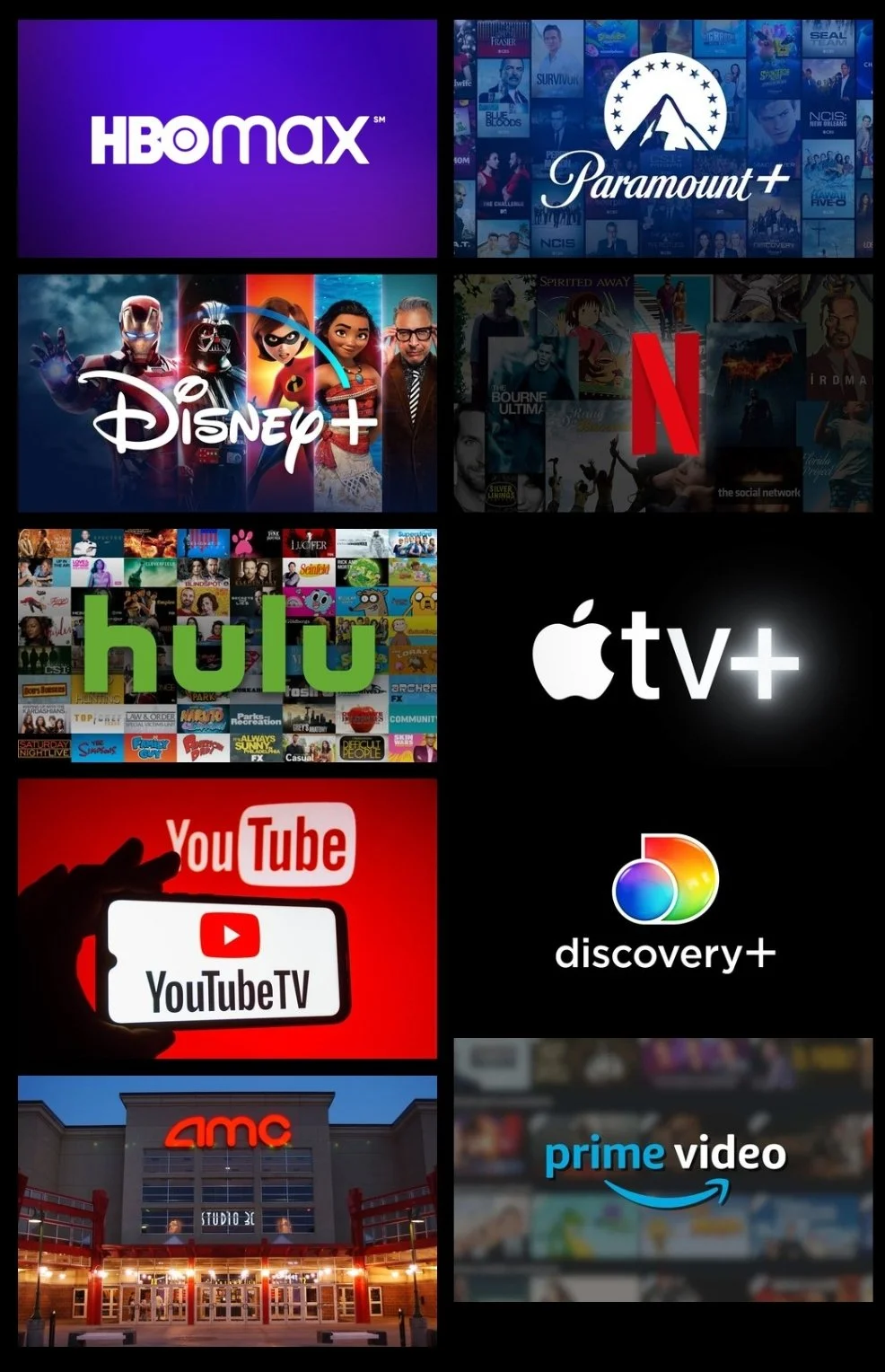
MOVIES & TV SERIES:
Everything from popular Movies, new in Theaters to popular TV Series dropping on many platforms today. No more monthly fees for application subscriptions. Anything you can think of from HD to 4K, HDR, Dolby Vision, 3D, and subtitles. Movies & TV series can be streamed on your device for free.
Download and watch at a later time or transferred to USB for your collection.
🛒Shop Now > 🧑💻Discord >
International Live Sports & Live Pay Per Views (PPVs)
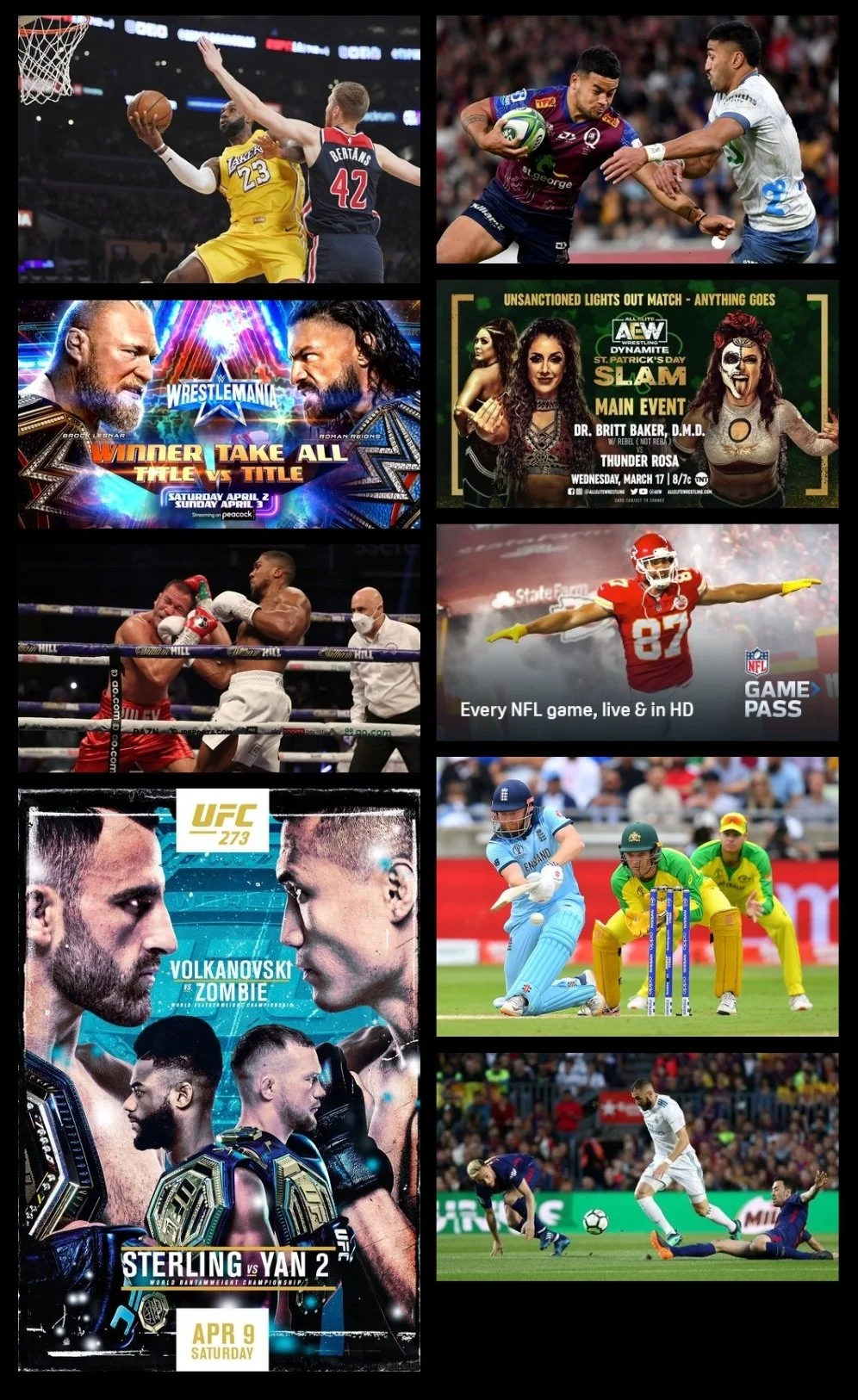
It’s easier than ever to catch your Live Sports and your favorite teams. From NBA, Premier League Football, Rugby, MLB, NFL, Cricket, and a whole lot more! Now multi-screen, watch 4 games at once!
We all love MMA, Wrestling, and Boxing catch everything live and rewatch it the next day. All WWE, AEW, UFC, Boxing events from around the world, Independent Wrestling Promotions, and more. Just switch it on and enjoy. Never miss another Live Event.
🛒Shop Now > 🧑💻Discord >
Live Tv: International Channels & Local Channels

80,000 Live TV Channels, Local Channels, Premium Cable Channels, & News Channels. Live TV in so many languages from English (US, UK, Can, Aus, NZ), Spanish (Spain, Mexican, PR & South Amer.), India (Hindi, South ID), Pakistani, Arabic, Iranian, Farsi, Sri Lankan, Nepal, Portugal, German, Indonesian, Italy, Thailand, Punjabi, Afghan, Filipino, French (French Canada & African Countries), Africa, Bangla, Turkish, Dutch, Russian, Japan, South Korea, China, and More.
You can save to your favorites and catch all the local news happening from around the world.
*Cancel all cable subscriptions and get the best internet your provider has to offer. Start streaming Live International Channels for Free. (This is NOT an IPTV Service.)
🛒Shop Now > 🧑💻Discord >
MUSIC, PODCAST, & Audiobooks
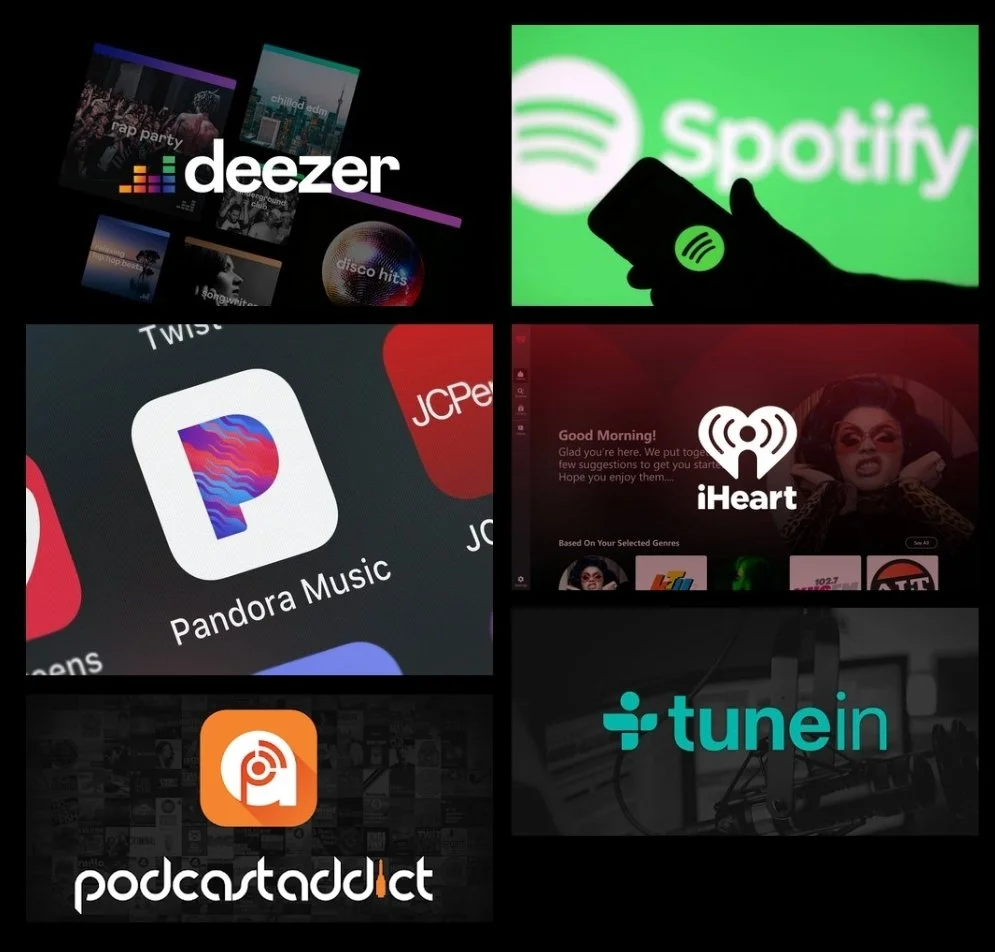
Best Music, Podcast, & Audiobook applications! You will have access to the Premium Service of these apps for FREE. Music can be downloaded to the Nvidia Shield Pro, coming soon.
🛒Shop Now > 🧑💻Discord >
KODI: THE ONE & ONLY BEST BUILD
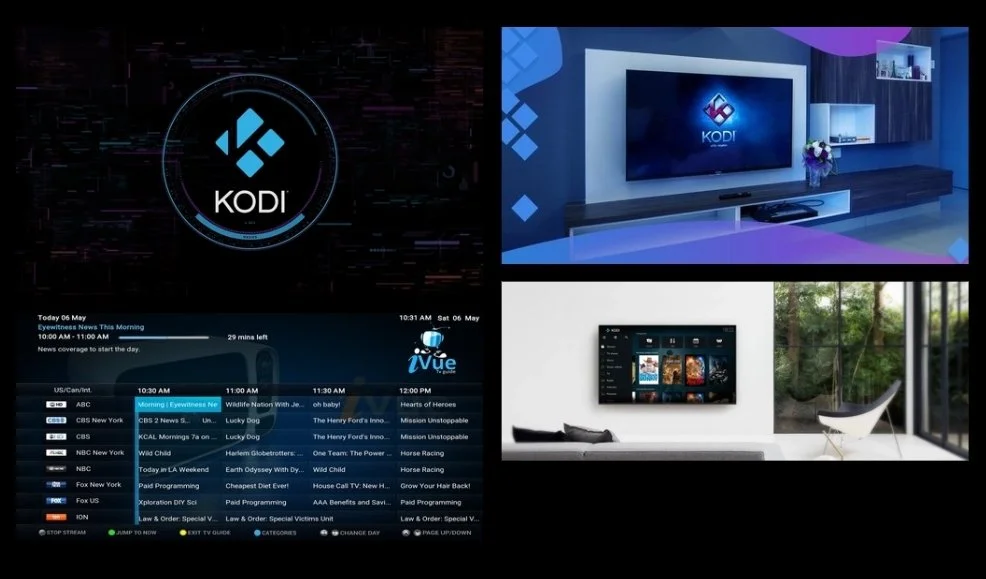
This covers one of the Best Builds seen on Kodi since “The Beast”. It’s great for Live Sports, Pay-Per-Views, and Rewatches.
Note: You can sign into your Real Debrid (not needed) and Trakt accounts. There are still Free Streaming Options available on this Kodi build.
🛒Shop Now > 🧑💻Discord >
ADULT CONTENT: WAYS TO WATCH

If you do NOT want this content on the device please EMAIL US, “No, Adult”. We will make sure not to put the folder “Contenu Prive” on the device for you.
1. Jailbroken Nvidia Shield Pro: Adult Folder (Contenu Prive)
🛒Shop Now > 🧑💻Discord >
Related Post: Owning vs. Renting Modem and Router